Mindware | Mynds Brand Thermal Transfer Ribbons


Mindware | Mynds Brand Thermal Transfer Ribbons


────────────────────────────────────────────────────────


BIG NEWS FOR RESELLERS & DISTRIBUTORS!


Mindware is now manufacturing Mynds Brand Thermal Transfer Ribbons — and we have the complete range covered for every ribbon type, every substrate, and every major printer brand in the market!


Are you a barcode / label reseller or distributor? Here is why you need Mynds Brand in your catalogue:


COMPLETE RIBBON RANGE — ONE SUPPLIER FOR EVERYTHING:

       Full Wax Ribbons (Economy & Premium) — for paper labels, shipping & retail

       Wax-Resin Ribbons (Standard & Premium) — for pharma, cold chain & heavy handling

       Full Resin Ribbons — for chemical, automotive, electronics & GHS compliance labels

       Textile / Fabric Ribbons — for garment care labels & apparel tags

       Color Ribbons (Wax & Resin) — in red, blue, green, white, gold & more

       Near-Edge Ribbons — for high-speed industrial production line printing


COMPATIBLE WITH ALL MAJOR PRINTER BRANDS:

       Zebra — ZT410, ZT420, ZT610, ZT230, ZD421, ZD621, GX430T, ZT200 Series

       Honeywell / Datamax — PM45, PM65, PX45, PX65, PC43t, PC45t, PD45, MP Nova4, Eclass

       SATO — CL4NX Plus, CL6NX Plus, CL412NX, CL608NX, M84Pro, FX3-LX, SG112-ex

       TSC Auto ID — TTP-246M, TTP-344M Pro, TTP-268M, MH240, MH240T, MH Series

       Toshiba TEC — B-EX4T1, B-EX4T2, B-SX4T, B-452, B-SA4T

       Printronix — T4000, T6000, T8000, SL4M, SL6M

       Godex, Citizen, Brother, Bixolon, Intermec, Domino, Videojet, Markem-Imaje & more!


WHY RESELLERS LOVE MYNDS BRAND:

       Factory-direct competitive pricing = stronger margins for your business

       Universal printer compatibility = serve every customer, win every order

       Full ribbon range = one supplier, simplified purchasing, no gaps

       Custom sizing available = match exact specs for any customer requirement

       Reliable supply chain = confident delivery commitments to your customers

       White-label options available = build your brand on Mindware quality


WANT TO BECOME A MYNDS BRAND DISTRIBUTOR?

Get in touch today for distributor pricing, samples, and our full product catalogue:


Email: gm@indianbarcode.com

Mobile: +91 98108 22688

WhatsApp: +91 97171 22688

Mynds Global: www.myndsglobal.com

Mindware India: www.mindwareindia.com

Full Range: www.indianbarcode.com


One Brand. Every Ribbon. Every Printer.


────────────────────────────────────────────────────────


#MyndsRibbons #ThermalTransferRibbons #MindwareManufacturing #TTRibbons #BarcodeLabels #WaxRibbon #ResinRibbon #WaxResinRibbon #TextileRibbon #ColorRibbon #ZebraRibbons #HoneywellRibbons #SATORibbons #TSCRibbons #LabelPrinting #IndustrialPrinting #Resellers #Distributors #myndsglobal #mindwareindia #indianbarcode


Unlocking Peak Performance: Mynds TTO Ribbons for Domino V120i TTO Printer


Unlocking Peak Performance: Mynds TTO Ribbons for Domino Printing's TT Printers

When your production line relies on Domino Printing's Thermal Transfer Overprinters (TTO), you expect nothing less than pristine, durable codes. However, even the most advanced Domino TTO system can underperform if paired with an inferior ribbon. Issues like inconsistent print quality, frequent ribbon breaks, and premature printhead wear can quickly escalate into significant operational headaches and costs.

At Mindware (Indian Barcode Corporation), we are dedicated to maximizing your Domino TTO printer's potential. We proudly manufacture a comprehensive range of Mynds TTO Ribbons specifically engineered to integrate seamlessly with Domino's cutting-edge technology, ensuring superior print quality, extended printhead life, and exceptional value.


The Domino-Mynds Synergy: Precision Engineered


Domino Printing systems are renowned for their reliability and efficiency. Our Mynds TTO Ribbons are developed with a deep understanding of Domino's printhead technology and thermal transfer requirements, offering:

  • Optimized Release Layer: Ensures complete and clean ink transfer at varying speeds and temperatures, crucial for Domino's high-speed capabilities.

  • Anti-Static & Low Friction Back-Coat: A critical feature that protects your valuable Domino printhead from wear, static build-up, and residue, extending its lifespan and reducing maintenance.

  • Formulated for Adhesion: Our ink layers are designed for maximum adhesion across a diverse range of flexible packaging substrates, from films to foils.


The Mynds TTO Ribbon Range: Tailored for Your Domino Printer

We understand that different applications demand different ribbon characteristics. That's why we offer a specialized portfolio of Mynds TTO Ribbons, ensuring you get the perfect match for your specific Domino TTO model and production needs.

1. Mynds Pro-Max Ribbon: The Durability Champion


The Pro-Max is our top-tier resin-enhanced ribbon, designed for applications where extreme durability is paramount. If your products are exposed to harsh conditions such as freezing temperatures, abrasion, or chemical contact, the Pro-Max ensures your codes remain intact and legible throughout the product's lifecycle.

  • Ideal for: Deep-freeze products, industrial components, medical devices, and chemically treated packaging.

TTO Ribbons For Markem-Imaje Printers: The Mynds TTO Ribbon Advantage


TTO Ribbons For Markem-Imaje Printers: The Mynds TTO Ribbon Advantage


In high-volume manufacturing, your Markem-Imaje SmartDate® series is a workhorse. However, even the most advanced printer is limited by the quality of the ribbon it uses. Poor-quality ribbons lead to "clogged" printheads, weak batch codes, and expensive downtime that eats into your margins.

At Mindware (Indian Barcode Corporation), we have engineered a specialized line of Mynds TTO Ribbons specifically for Markem-Imaje printers. Our ribbons are designed to match the high-speed, high-resolution demands of SmartDate technology, ensuring every code—from simple expiry dates to complex 2D barcodes—is flawless.


Why Choose Mynds Ribbons for Markem-Imaje?

Markem-Imaje printers are known for their precision. Our Mynds range is manufactured to complement this by offering:

  • Printhead Protection: Our ribbons feature a proprietary back-coat that minimizes static and friction, significantly extending the life of your expensive SmartDate printheads.

  • High-Speed Stability: Whether your line is moving at 100 or 1000 mm/s, our ink releases consistently for sharp, dark impressions.

  • Versatile Substrate Compatibility: From standard PE/PP films to challenging metallic foils, our ribbons provide maximum adhesion.


The Mynds Markem-Imaje Specialized Lineup

We offer three core grades tailored for the specific needs of Markem-Imaje users:

1. Mynds-Xpert Ribbon: The Specialist

The Xpert is our high-end resin-enhanced solution designed for extreme durability. If your products face harsh environments, chemical exposure, or heavy abrasion, the Xpert ensures your data remains legible from the factory floor to the consumer's home.

  • Best for: Frozen foods, chemical pouches, and heavy-duty industrial packaging.

2. Mynds-Xtra Ribbon: The Performance Leader

The Xtra is the ultimate all-rounder. It is optimized for high-speed production lines and offers exceptional sensitivity. It prints at lower energy levels, which preserves your printer hardware while delivering a deep, smudge-proof black.

  • Best for: Snack food packaging, dairy products, and high-speed flow wrappers.

3. Mynds-Xceed Ribbon: The Value Champion

For everyday coding needs, Xceed offers the perfect balance of quality and economy. It is designed for standard packaging films where high-speed legibility is required without the premium price tag.

  • Best for: Bakery items, dried fruits, pulses, and general retail goods.


Technical Specifications & Compatibility

Our ribbons are 100% compatible with the following Markem-Imaje models:

  • SmartDate X40 / X45

  • SmartDate X60 / X65

  • SmartDate 5 Series

  • SmartDate OEM Replacement needs

FeatureMynds Markem-Imaje Range
Roll LengthsUp to 1100m for reduced changeover time
Ink TypeWax-Resin and Near-Edge Resin
ColorsAvailable in Black (standard) and specialized colors on request
DurabilityHigh resistance to moisture and oil

Stop Overpaying for OEM Ribbons

Many businesses believe they must use OEM ribbons to maintain their Markem-Imaje printers. At Mindware, we provide Top-Notch Premium Quality that meets or exceeds OEM standards at a much more competitive price point. We help you lower your "Cost Per Print" without compromising on the quality your brand deserves.

Ready to Upgrade Your Coding Quality?

Get in touch with our experts for bulk pricing, custom sizes, or a free sample for your next production run.

Enhance Your Packaging Performance: With The Premium Mynds TTO Ribbons for Videojet Printers

Enhance Your Packaging Performance: With The Premium Mynds TTO Ribbons for Videojet Printers


When it comes to high-speed batch coding on flexible packaging, your Videojet TTO (Thermal Transfer Overprinter) is only as good as the ribbon you feed it. Using the wrong ribbon doesn’t just result in blurry barcodes—it can lead to costly downtime and premature printhead wear.

As a leading manufacturer and supplier, Mindware (Indian Barcode Corporation) provides a specialized range of Mynds TTO Ribbons designed to meet the exact specifications of Videojet printers. Whether you are packing snacks, pharmaceuticals, or frozen foods, we have the perfect grade to balance performance and cost.


Why Choose Mynds TTO Ribbons for Your Videojet Printers?

Our ribbons are engineered with advanced back-coating technology to reduce friction, eliminate static, and extend the life of your Videojet printhead. We offer five distinct grades to match your specific application:


1.     Mynds Extreme Temp Ribbon

The powerhouse of the lineup. Designed for high-heat environments and "hot-fill" applications, this ribbon ensures that the print remains crisp and smudge-proof even when exposed to extreme temperatures.

  • Best for: Fresh soups, hot-fill sauces, and industrial parts.

2.     Mynds Ultra Ribbon For Videojet Printers


When speed is your priority, the Ultra Ribbon delivers. Optimized for high-speed production lines (up to 1000 mm/s), it offers exceptional darkness and contrast for 90° rotated barcodes.

  • Best for: High-speed snack food and candy packaging.

3.     Mynds Premium Ribbon For Videojet Printers


The versatile "all-rounder." It offers extra adhesion and superior durability on a wide variety of film types, including glossy and synthetic substrates.

  • Best for: Pharmaceutical packaging, medical devices, and high-end cosmetics.

4.     Mynds Super Standard Ribbon For Videojet Printers


A step above the basics, this grade provides a reliable solution for mid-range speeds with improved scratch resistance compared to standard options.

  • Best for: Meat, poultry, and frozen food packaging.

5.     Mynds Standard Ribbon For Videojet Printers


The most cost-effective choice for general-purpose applications. It provides excellent print quality for daily batch coding where specialized resistance isn't required.

  • Best for: Savory snacks, nuts, and dried fruit.

Technical Superiority at a Glance

Feature

Mynds Advantage

Compatibility

Fully compatible with Videojet 6210, 6330, 6420, and 6530 series.

Durability

High resistance to smudging, scratching, and chemical exposure.

Efficiency

Longer rolls (up to 1200m) mean fewer changeovers and higher uptime.

Printhead Care

Anti-static backcoat protects your equipment from premature failure.


Quality You Can Trust, Prices You Can’t Beat

At Mindware, we don't just sell ribbons; we manufacture solutions. By cutting out the middleman, we provide Top-Notch Premium Quality at factory-direct prices, ensuring your production line stays profitable.

Ready to Order or Have an Inquiry?

Get the best quotes for bulk orders and specialized sizes. Our experts are ready to help you choose the right ribbon for your substrate.


Zebra Printer Troubleshooting Guide — Complete Fixing Manual


Zebra Printer Troubleshooting Guide — Complete Fixing Manual

Zebra barcode printers are known for reliability, but like any device, they can occasionally face issues such as printing errors, connectivity problems, faded labels, or calibration faults. This complete troubleshooting guide helps you diagnose and fix common Zebra printer problems quickly.


Common Zebra Printer Problems & Solutions


1. Printer Not Printing

Possible Causes

  • Printer paused

  • Wrong driver installed

  • Label not detected

  • Print queue stuck

Fix

  • Press FEED button once

  • Restart printer and system

  • Reinstall correct Zebra driver

  • Clear print queue from Windows


2. Labels Feeding but Blank Print

Reason

  • Direct thermal label used in transfer mode

  • Ribbon missing or installed wrong

  • Printhead dirty

Solution

  • Check printing mode setting

  • Reinstall ribbon correctly

  • Clean printhead with isopropyl alcohol wipe


3. Faded or Light Printing

Causes

  • Low darkness setting

  • Worn printhead

  • Poor quality ribbon

  • Low heat configuration

Fix

  • Increase darkness in driver settings

  • Replace ribbon

  • Replace printhead if worn

  • Use resin ribbon for durable prints


4. Printer Skipping Labels

Reason

  • Sensor not calibrated

  • Wrong label size set

  • Gap sensor dirty

Solution

  • Run media calibration

  • Check label size settings

  • Clean sensor area


5. Red Light Blinking Error

Common meaning:

  • Paper out

  • Ribbon out

  • Cover open

  • Head overheated

Fix Checklist

  • Reload labels

  • Close cover properly

  • Allow printer to cool

  • Reset printer


6. Printer Not Detected by Computer

Troubleshooting Steps

  • Check USB or network cable

  • Reinstall driver

  • Try different USB port

  • Check printer IP address

  • Restart spooler service


How to Calibrate Zebra Printer

Steps

  1. Turn printer off

  2. Hold FEED button

  3. Turn printer on while holding

  4. Release when light flashes

  5. Printer auto-calibrates labels


Maintenance Tips to Prevent Issues

  • Clean printhead weekly

  • Use genuine ribbons and labels

  • Avoid dust near printer

  • Store labels in dry place

  • Replace worn rollers


When to Call Technical Support

Contact support if:

  • Printer not powering on

  • Continuous error light

  • Mechanical noise

  • Firmware errors

  • Burnt printhead line


Why Choose Mindware for Zebra Printer Support

Mindware provides complete Zebra printer support and barcode solutions for businesses across India.

What You Get

  • Free installation

  • Dedicated in-house support team

  • 1 year free technical support

  • Genuine Zebra spare parts

  • Labels and ribbons manufacturing

  • Barcode software setup

  • End-to-end printing solutions

This means you don’t need multiple vendors — Mindware handles everything.


Contact Mindware Technical Team

Phone: +91 9810822688 / +91 9717122688
Email: gm@indianbarcode.com
Website: https://shop.tscprintersindia.com


Final Advice

Most Zebra printer issues are caused by:

  • incorrect settings

  • poor consumables

  • calibration errors

Fixing these usually resolves 90% of problems instantly. Proper maintenance and correct configuration ensure your printer runs smoothly for years.

How to Choose a Barcode Printer for Hospital — Complete Buying Guide


How to Choose a Barcode Printer for Hospital — Complete Buying Guide

Hospitals rely heavily on barcode printing for patient safety, medication tracking, laboratory samples, wristbands, asset management, and pharmacy labeling. Choosing the right barcode printer is critical because a wrong printer can lead to label fading, scanning errors, workflow delays, or compliance issues.

This guide explains how hospitals should select the best barcode printer based on real healthcare requirements.


Why Hospitals Need Specialized Barcode Printers


Hospitals require barcode printers that can handle:

  • Patient wristbands

  • Lab sample labels

  • Pharmacy medicine labels

  • Blood bank tags

  • Asset tracking labels

  • Sterilization labels

Unlike retail printers, healthcare printers must produce durable, legible, and smudge-proof labels that remain readable in disinfected, refrigerated, or sterilized environments.


Key Factors to Consider Before Buying

1. Print Technology — Direct Thermal vs Thermal Transfer

  • Direct Thermal: Best for short-term labels like patient IDs or lab samples.

  • Thermal Transfer: Required for long-lasting labels like equipment tags or pharmacy stock.

Recommendation:
Hospitals should choose printers supporting both modes for flexibility.


2. Print Resolution (DPI)

DPIBest Use
203 dpiWristbands & general labels
300 dpiSmall pharmacy labels
600 dpiMicro labels & lab samples

Higher resolution ensures barcodes scan accurately, especially small labels.


3. Label Durability Requirements

Hospital labels must withstand:

  • Alcohol cleaning

  • Moisture

  • Cold storage

  • Chemicals

Choose printers compatible with:

  • Synthetic labels

  • Medical-grade wristbands

  • Resin ribbons for durability


4. Print Volume

VolumeRecommended Printer Type
Low (<500/day)Desktop printer
Medium (500–3000/day)Mid-range printer
High (>3000/day)Industrial printer

5. Connectivity Options

Hospitals use integrated software systems like HIS, LIS, and ERP. Your printer should support:

  • USB

  • Ethernet

  • Wi-Fi

  • Bluetooth

  • Network printing


6. Ease of Maintenance

Hospital IT teams prefer printers that offer:

  • Tool-free printhead replacement

  • Simple ribbon loading

  • Easy cleaning

  • Long life printheads


Recommended Printer Types for Hospitals

Desktop Healthcare Printers


Best for:

  • Nursing stations

  • Labs

  • Pharmacy counters

  • Reception desks


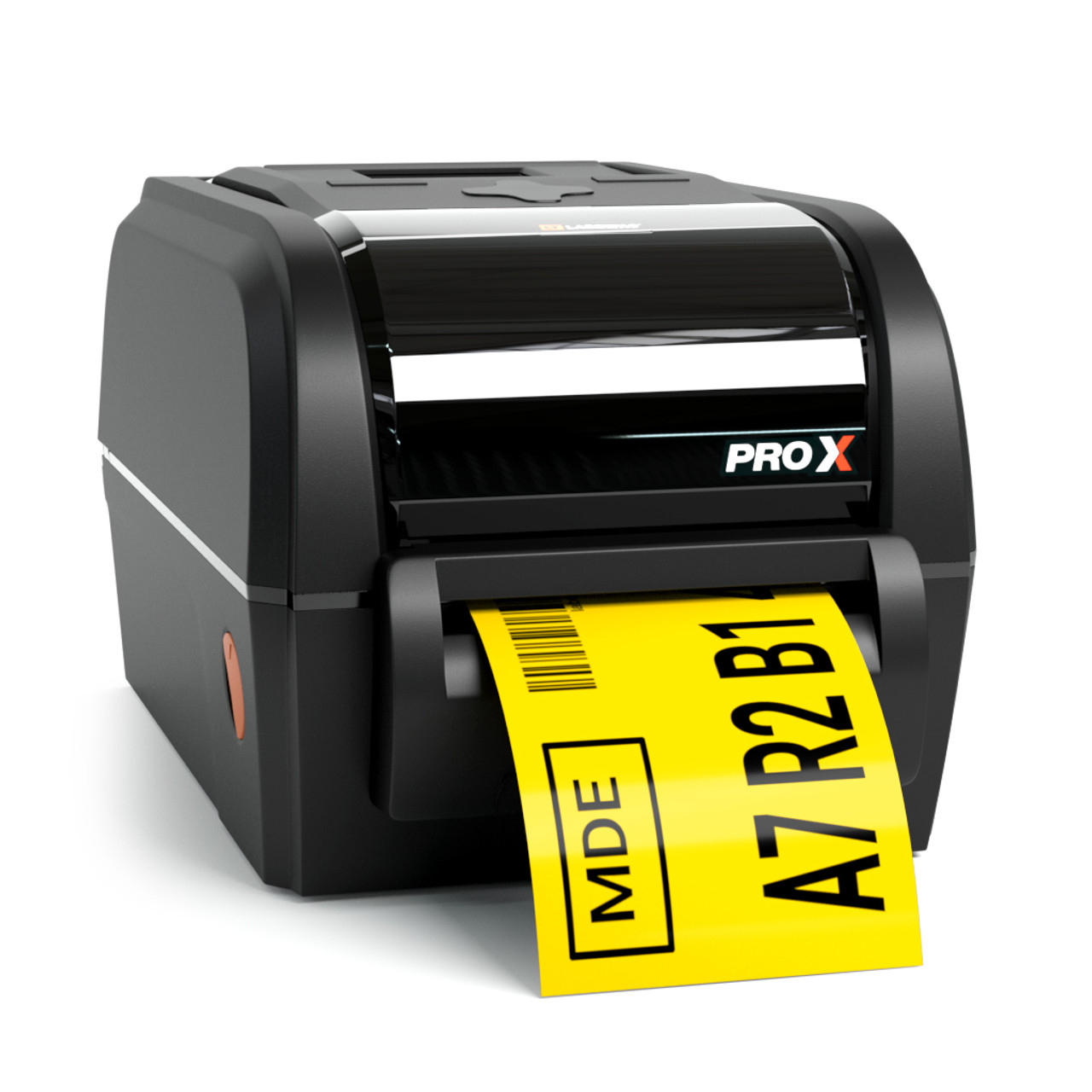
Industrial Barcode Printers

https://cdn11.bigcommerce.com/s-1287e/images/stencil/1280x1280/products/131/1635/LT-ProX-Hero-02__84014.1619537080.jpg?c=2

Best for:

  • Central labeling rooms

  • Warehouse inventory

  • Bulk printing


Zebra vs TSC for Hospital Use — Quick Advice

  • Choose Zebra if your hospital needs enterprise reliability and heavy usage.

  • Choose TSC if you want affordable printers with stable performance.

Both brands support healthcare labeling when paired with correct labels and ribbons.


Common Mistakes Hospitals Make When Buying Printers

Avoid these errors:

  • Buying retail printers for medical use

  • Ignoring label material compatibility

  • Choosing low DPI for small labels

  • Not checking software integration support

  • Buying without technical support


Why Hospitals Trust Mindware for Barcode Solutions

Mindware provides complete hospital barcode printing solutions — not just printers.

Benefits of choosing Mindware

  • Free installation service

  • Dedicated in-house technical support team

  • 1 year free technical support

  • Genuine printers and parts

  • Barcode label manufacturing

  • Thermal ribbons supply

  • Barcode label designing software

  • End-to-end barcode system setup

Hospitals prefer Mindware because everything is handled by a single expert provider — from hardware to software to consumables.


Contact for Hospital Barcode Printer Consultation

Phone: +91 9810822688 / +91 9717122688
Email: gm@indianbarcode.com
Website: https://shop.tscprintersindia.com


Final Recommendation

The best barcode printer for a hospital depends on:

  • label type

  • print volume

  • durability needs

  • integration requirements

If you choose correctly, your hospital gains:

  • faster workflow

  • accurate patient identification

  • reduced medical errors

  • better inventory tracking